A small colony. A big difference.
Your work. A little lighter.
Turn familiar repetition into small, editable routines. Yeti Crab spots patterns locally, and you choose what runs.
Local by default · Windows 10/11

Meet your habitat
A calmer home for everyday automations.
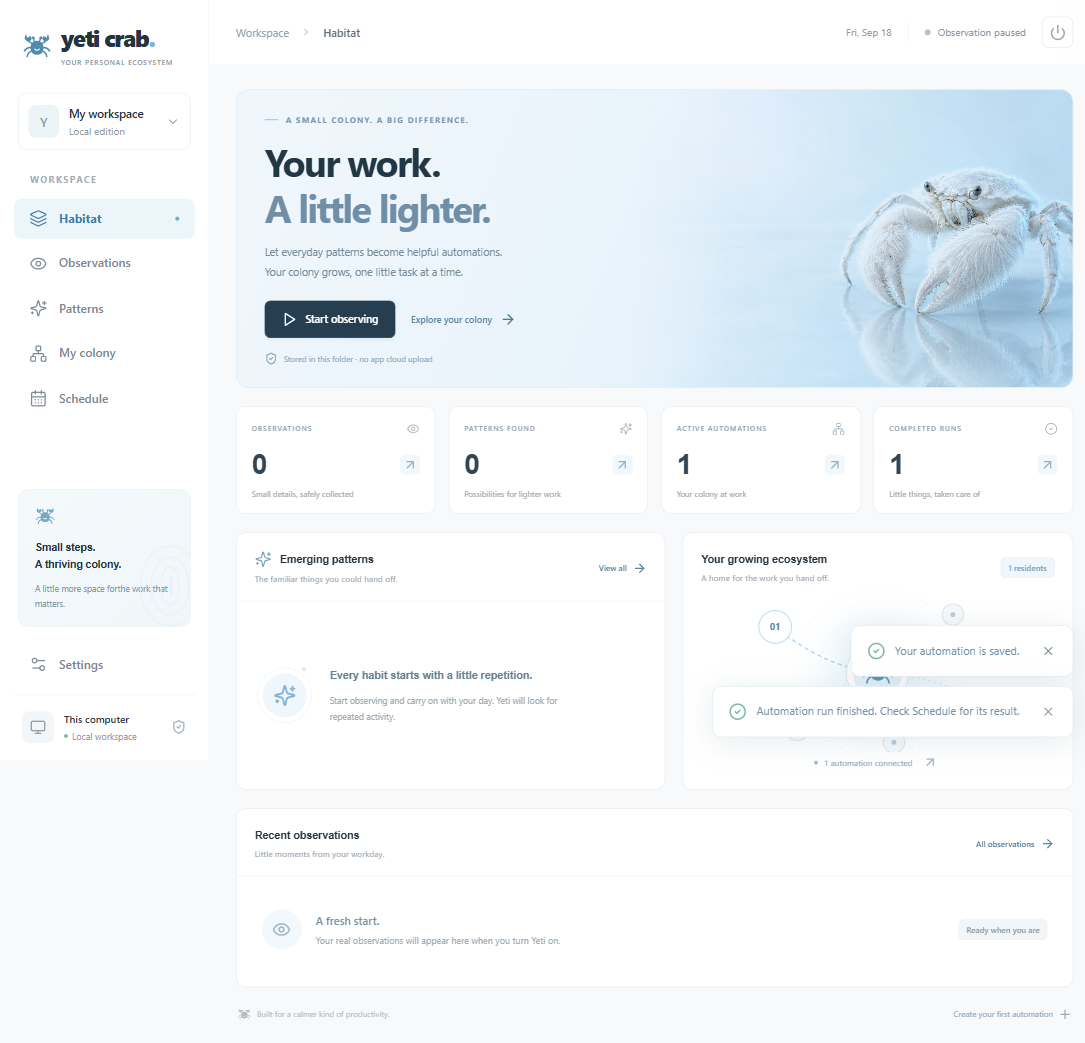
See observations, emerging patterns, active routines, and completed runs in one clear workspace.
Closer look
Workspace sections
Routines and runs
How it works
Notice. Shape. Approve.
Yeti Crab helps you recognize repetition and decide what to do with it.

Observe by choice
Start observation when you want to. Yeti Crab records supported foreground app and window activity and clicks. Sampled screen images are optional.
Spot the repeats
Local rules find repeated visits and short sequences, then offer candidate patterns for you to review.
Approve a routine
Edit a starter automation, choose its actions and schedule, and approve it before it runs.
Your growing ecosystem
Small patterns. Useful routines.
Give recurring work a simple, editable home—one routine at a time.
Your data, close to home.
Yeti Crab stores its app data locally by default. A folder you keep in a sync service may be synced by that service.
Observation on your terms.
Opt in, choose whether to enable sampled screen images, and pause observation when you need to.
Practical actions.
Create an activity report or text draft, show a Windows notification, open an HTTPS link, or prepare an email draft for you to send.
A record of each run.
Review run history and local outputs to see what Yeti Crab did.

Run history
See what ran, and when.
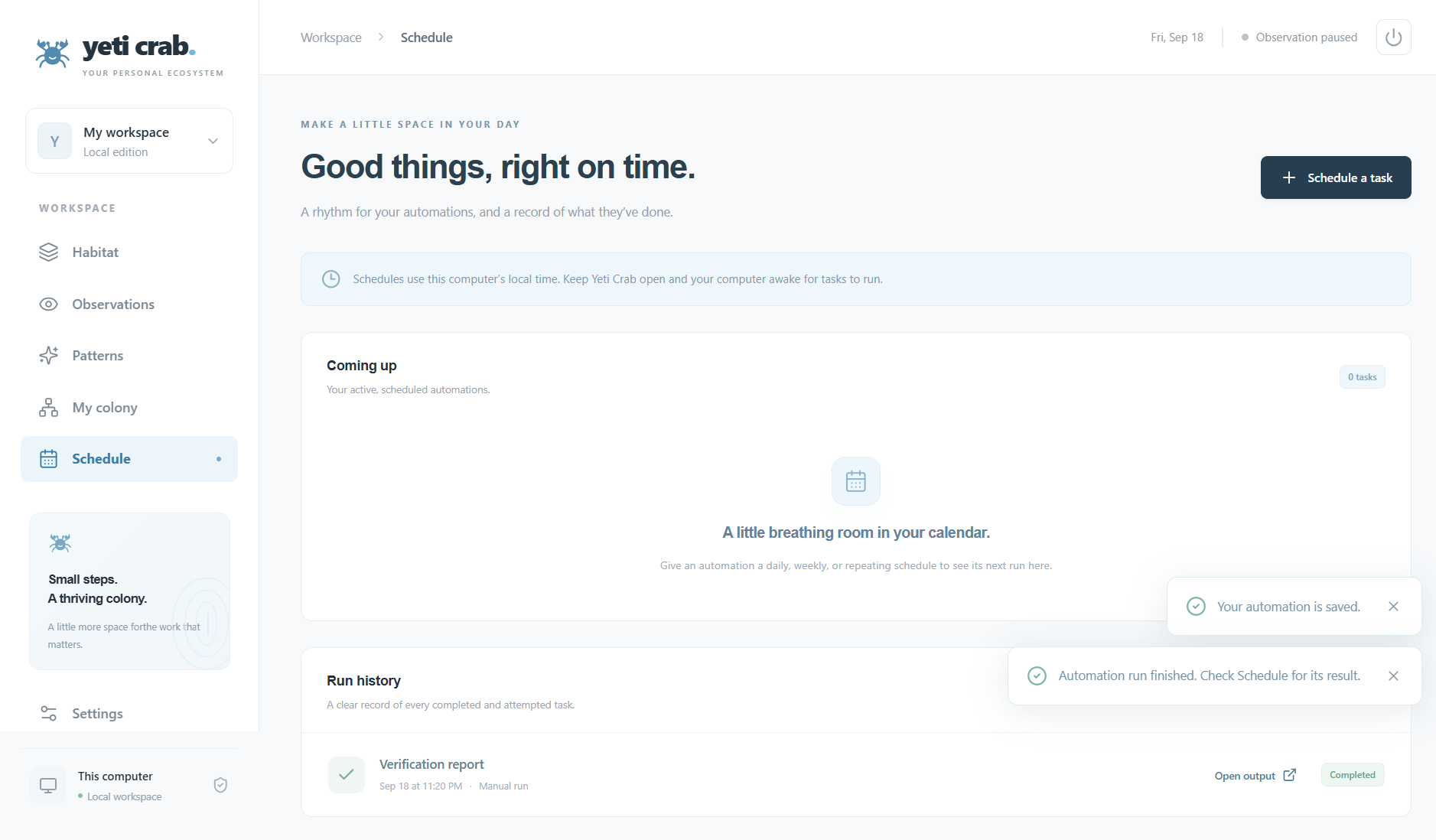
Review past runs and upcoming schedules in one place. Scheduled actions run while Yeti Crab is open and your computer is awake.
Closer look
Run history
Output link and status
Good to know
Questions, answered plainly.
What Yeti Crab does, what it does not do, and what stays in your hands.
Which computers does Yeti Crab support?
Yeti Crab is built for Windows 10 and Windows 11.
Does it continuously record my screen?
No. Observation covers supported foreground app and window activity and clicks. You can choose periodic screenshots of all connected displays; those images may include sensitive information visible on screen. Yeti Crab does not record continuous screen video.
Is Yeti Crab an autonomous AI agent?
No. Local rules find repeated activity and suggest editable starter automations. You decide which actions and schedules to approve.
Does it control every app or send email automatically?
No. Current actions are a local activity report, text draft, Windows notification, HTTPS link, or email draft. An email draft opens in your mail app for you to send.
Do scheduled tasks run when my computer is asleep?
No. Yeti Crab must be open and your computer awake for scheduled actions to run.
Is my activity stored in the cloud?
Yeti Crab stores its app data locally by default and does not upload recordings to an application cloud. If you keep its data folder in OneDrive or another sync service, that service may sync it according to your settings.
Windows edition
Build a little breathing room into your day.
The Windows edition isn’t publicly available yet.
Launch-list signup is temporarily unavailable.
There is no public download or purchase yet. In the meantime, you can read how Yeti Crab works and how it handles your data.